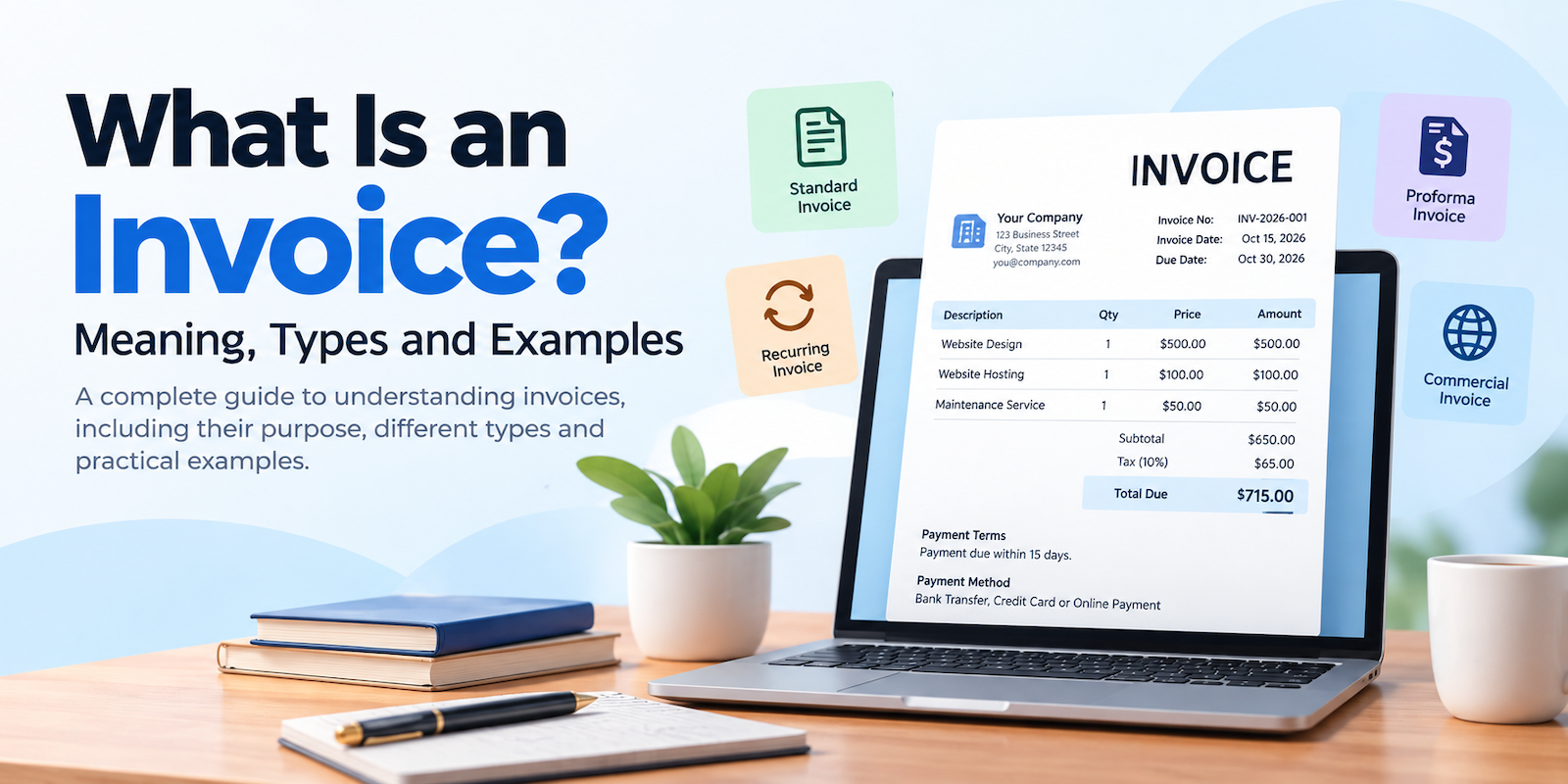
An invoice is one of the most important documents used in everyday business transactions. Whether you are a freelancer, consultant, small business owner or service provider, you will eventually need to create and send invoices to customers to request payment for the products or services you provide.
But what exactly is an invoice? What information should it contain? Are there different types of invoices, and how do they work?
In this guide, we will explain the meaning of an invoice, its purpose, the different types of invoices, what details should be included and provide practical invoice examples to help you understand how invoicing works.
What Is an Invoice?
An invoice is a commercial document issued by a seller or service provider to a customer requesting payment for goods or services supplied. It provides a record of the transaction, including the products or services provided, their quantities, prices, applicable taxes, total amount due and payment terms.
In simple words, an invoice is a payment request sent by a business to its customer after providing a product or service.
For example, imagine you run a web development agency and build a website for a client. Once the work is completed, you send the client an invoice showing the website development charges, any additional services, applicable taxes and the total amount payable. The client uses this document to understand what they are paying for and how to make the payment.
Invoices are commonly used by freelancers, consultants, retailers, wholesalers, agencies, contractors and businesses of all sizes.
What Is the Purpose of an Invoice?
An invoice is more than just a document requesting money. It plays an important role in maintaining organized business operations and financial records.
Here are some of the main purposes of an invoice:
1. Requesting payment
The primary purpose of an invoice is to formally request payment from a customer for products sold or services provided.
2. Keeping transaction records
Invoices provide written records of business transactions. Both sellers and buyers can use them for accounting, bookkeeping and future reference.
3. Showing a breakdown of costs
An invoice clearly explains what a customer is being charged for, including product prices, service fees, quantities, discounts and applicable taxes.
4. Establishing payment terms
Businesses can specify payment deadlines, accepted payment methods and other conditions to help customers understand when and how to pay.
5. Supporting tax and accounting activities
Invoices help businesses maintain financial records and support tax reporting. Depending on the country and transaction, they may also serve as important tax documentation.
6. Maintaining professional relationships
Sending clear and professional invoices creates a better impression and helps businesses communicate payment expectations with customers.
What Information Should an Invoice Include?
A professional invoice should contain all the necessary information to identify the seller, customer and transaction. Although requirements may vary depending on the country and type of business, most invoices include the following details.
1. Business Information
Include the name of your business, business address, contact number, email address and other relevant details. This helps the customer identify who issued the invoice.
2. Customer Information
Include the customer's name, company name, billing address and contact details, where applicable.
3. Invoice Number
Every invoice should have a unique invoice number. This makes it easier to identify, organize and track invoices.
For example: INV-2026-001, INV-2026-002 or INV-2026-003.
4. Invoice Date
The invoice date is the date on which the invoice is issued to the customer.
5. Due Date
The due date indicates when the customer is expected to complete the payment. For example, a business may provide 7-day, 15-day or 30-day payment terms.
6. Description of Products or Services
Clearly describe the products sold or services provided. Include quantities, unit prices and other relevant details.
7. Subtotal, Discounts and Taxes
Show the subtotal before taxes, any applicable discounts, and relevant taxes such as VAT, GST or sales tax, depending on the applicable regulations.
8. Total Amount Due
Clearly display the final amount the customer needs to pay.
9. Payment Instructions
Mention the available payment methods, such as bank transfer, credit or debit card, online payment gateways or other accepted options.
10. Additional Notes
You can include payment instructions, terms and conditions, thank-you messages or other relevant information.
Tip: A well-organized invoice makes it easier for customers to understand charges and complete payments without unnecessary questions.
What Are the Different Types of Invoices?
Not all invoices are used for the same purpose. Depending on the nature of a business transaction, different types of invoices may be required.
Here are some commonly used invoice types.
1. Standard Invoice
A standard invoice is the most common type of invoice used by businesses. It is issued after selling products or providing services and includes details such as the invoice number, customer information, description of goods or services, total amount and payment terms.
Example: A graphic designer completes a logo design project and sends an invoice to the customer requesting payment.
2. Proforma Invoice
A proforma invoice is a preliminary document sent to a customer before the actual sale or delivery is completed. It provides an estimated breakdown of the expected costs and transaction details.
It is commonly used in international trade, quotations and business negotiations.
Example: A supplier sends a proforma invoice to an overseas buyer before shipping the ordered products.
A proforma invoice is generally not the final payment invoice or a substitute for a tax invoice.
3. Recurring Invoice
A recurring invoice is issued at regular intervals for products or services that customers receive repeatedly. It is commonly used by businesses offering monthly subscriptions, maintenance services, hosting services and retainers.
Example: A web hosting company charges its customers every month for hosting services.
Recurring invoicing helps businesses reduce repetitive administrative work and maintain consistent billing schedules.
4. Credit Invoice
A credit invoice, often called a credit note, is issued to reduce or adjust an amount previously invoiced. It may be used when a customer returns products, receives a discount after invoicing or is charged more than the correct amount.
Example: A customer purchases products worth $500 but returns products worth $100. The seller issues a credit note for the appropriate adjustment.
5. Debit Invoice
A debit note or debit invoice is used to communicate an additional amount payable or an increase in the amount previously charged, depending on the applicable accounting practice.
Example: A supplier discovers that additional products were delivered but not included in the original invoice and issues a debit note for the additional amount.
6. Commercial Invoice
A commercial invoice is an important document used in international trade when goods are exported or imported. It contains details about the buyer, seller, goods, quantities, prices, currency and other information required for customs and shipping procedures.
Example: A manufacturer in one country exports products to a distributor in another country and provides a commercial invoice for customs clearance.
7. Tax Invoice
A tax invoice is a document issued by a registered business that includes applicable tax details. It is commonly required under VAT, GST or other indirect tax systems.
The information required on a tax invoice depends on the tax regulations of the relevant country.
Example: A GST-registered business in India issues a GST tax invoice when making a taxable sale where a tax invoice is required.
8. Timesheet Invoice
A timesheet invoice is used by freelancers, consultants and professionals who charge customers based on the time spent working on a project.
It generally includes the hours worked, hourly rate, description of work and total charges.
Example: A consultant works 20 hours for a client at $40 per hour and issues an invoice for $800.
Invoice Example: What Does a Professional Invoice Look Like?
Understanding an invoice becomes easier when you see an actual example.
Below is a simplified sample invoice showing how a business might charge a customer for a service.
Sample Invoice
From: ABC Web Solutions
To: John Smith
Invoice Number: INV-2026-001
Invoice Date: October 15, 2026
Due Date: October 30, 2026
| Description | Qty | Price | Amount |
|---|---|---|---|
| Website Design | 1 | $500 | $500 |
| Website Hosting | 1 | $100 | $100 |
| Maintenance Service | 1 | $50 | $50 |
| Subtotal | $650 | ||
| Tax (10%) | $65 | ||
| Total Due | $715 |
Payment Terms: Payment due within 15 days.
Payment Method: Bank Transfer
Note: Thank you for your business!
This example demonstrates how an invoice presents the services provided, individual charges, taxes and final payment amount in an organized format.
Actual invoice requirements and tax calculations may differ depending on the country and transaction.
What Is the Difference Between an Invoice and a Receipt?
Invoices and receipts are both important business documents, but they serve different purposes.
An invoice is issued to request payment, whereas a receipt is generally issued to confirm that payment has been received.
Here are the main differences:
| Invoice | Receipt |
|---|---|
| Requests payment from a customer | Confirms payment received |
| Usually issued before payment | Usually issued after payment |
| Shows the amount payable | Shows the amount paid |
| Includes payment due date and terms | May include payment date and method |
| Helps track outstanding payments | Helps confirm completed transactions |
For example, when a freelancer completes a project, they send an invoice requesting $500. Once the customer pays the full amount, the freelancer can issue a receipt confirming the payment.
When Should a Business Send an Invoice?
The appropriate time to send an invoice depends on the nature of the business and the agreement between the seller and customer.
Here are some common situations:
After completing a service: Freelancers, consultants and agencies usually send invoices after completing agreed work.
After delivering products: Retailers, wholesalers and suppliers issue invoices when goods are sold or delivered.
Before a project begins: Businesses may issue advance invoices or request deposits according to their agreed payment arrangements.
At regular intervals: Subscription-based businesses and service providers send recurring invoices weekly, monthly or annually.
At project milestones: Businesses working on long-term projects may invoice customers after completing specific stages of work.
Sending invoices promptly helps businesses maintain organized payment records and avoid unnecessary delays in collecting payments.
Why Should You Use Invoicing Software Instead of Creating Invoices Manually?
Many small businesses initially create invoices using spreadsheets, word processors or manually prepared documents. While this approach may work for a business with only a few customers, it can become difficult to manage as the business grows.
Manually preparing invoices, tracking payments, maintaining customer records and calculating taxes can consume valuable time.
Invoicing software simplifies these tasks by bringing essential billing activities into one platform.
Here are some advantages of using invoicing software:
Create professional invoices: Prepare and send well-organized invoices without designing documents from scratch.
Save time: Reduce repetitive work when creating invoices for customers.
Manage customers: Keep customer information organized and accessible.
Track payments: Monitor paid, unpaid and overdue invoices.
Create estimates: Prepare estimates or quotations before starting a project.
Manage recurring billing: Simplify regular billing for subscriptions and ongoing services.
Track expenses: Maintain records of business expenses and related transactions.
Generate reports: Get a better understanding of your business's financial activities.
The right invoicing software can make everyday billing easier and help business owners focus more on their actual work.
Manage Your Invoices and Business with Nimbugrid
If you are a freelancer, consultant or small business owner looking for a convenient way to manage your invoicing activities, Nimbugrid can be a practical solution.
Nimbugrid is an online invoicing and business management platform designed to help businesses create professional invoices and estimates, manage customers, track business expenses, handle recurring invoices and organize their billing activities from one place.
Instead of relying on multiple disconnected tools, you can manage several essential business activities through a centralized dashboard. Whether you are running a freelance business, managing a small company or handling multiple business operations, Nimbugrid provides useful tools to simplify your daily administrative work.
You can get started with the free plan and explore the platform before deciding whether a premium plan is right for your business.
Ready to simplify your invoicing? Visit Nimbugrid and start managing your invoices more efficiently.
Frequently Asked Questions (FAQs)
1. What is an invoice in simple words?
An invoice is a document sent by a seller or service provider to a customer requesting payment for products or services provided. It includes details such as the amount payable, description of goods or services and payment terms.
2. Is an invoice proof of payment?
No. An invoice is generally a request for payment, not confirmation that payment has been made. A receipt or payment confirmation is normally used as proof that a payment has been received.
3. Who can issue an invoice?
Businesses, freelancers, consultants, contractors, suppliers and service providers can issue invoices when selling products or providing services. Specific invoicing and tax documentation requirements depend on local regulations.
4. Is an invoice legally binding?
An invoice can serve as important evidence of a transaction and the amount requested. However, whether it creates or establishes a legally enforceable payment obligation depends on the underlying agreement, applicable laws and circumstances.
5. What is the difference between an invoice and a bill?
The terms invoice and bill are often used interchangeably. Generally, an invoice is a formal payment request issued by a seller, while a bill is a more general term used to describe an amount owed for products or services.
6. Can I create an invoice without a registered business?
In many countries, individuals and freelancers can issue invoices without registering a formal company, provided they comply with applicable tax, registration and business regulations. Requirements vary by country.
7. What happens if a customer does not pay an invoice?
If a customer does not pay by the due date, the invoice may become overdue. The seller can send payment reminders, contact the customer and follow the payment recovery process permitted by their agreement and applicable laws.
8. Can I create invoices for international customers?
Yes. Businesses and freelancers regularly issue invoices to international customers. It is important to include the correct currency, customer information, payment instructions and applicable tax details.
9. What is the best way to create professional invoices?
Using invoicing software is one of the easiest ways to create professional invoices. It helps you maintain consistent invoice formats, organize customer details, calculate totals and track payments.
10. Is invoicing software useful for small businesses?
Absolutely. Invoicing software can help small businesses create invoices, manage customers, track outstanding payments, prepare estimates and organize financial records without relying entirely on manual processes.
Final Thoughts
Invoices are an essential part of running almost any business. They help businesses request payments, maintain transaction records, communicate pricing and organize their financial activities.
Whether you are a freelancer sending your first invoice or a growing business managing hundreds of customer transactions, having an organized invoicing process can save time and make everyday operations easier.
Choosing the right invoicing software can make that process even simpler. With tools for invoicing, customer management, estimates, recurring billing and expense tracking, Nimbugrid aims to make business management more convenient for freelancers and small businesses.